LOCAL IN YOUR BROWSER · SOLD IN-WORLD
A whole world. A lot of L$. Make sense of it.
Bring your Second Life transaction history together in one ledger that stays on your computer. SLLedger runs in your browser at app.slledger.com — your files are never uploaded.
A little clarity
goes a long way.
More perspective.
HOW IT WORKS
From history export to a clear ledger
Get your history
In Second Life Transaction History, choose your dates and export CSV, XML, or Excel.
Drop it into SLLedger
Open app.slledger.com (unlocked via your launcher). Drag and drop files or choose a folder. Imports stay on this computer.
See the whole picture
Use All history, charts, categories, and search. Save a backup so your ledger survives browser cleanup.
FEATURES
Everything you need to read your L$ history
CSV, XML & Excel
Import Second Life Transaction History exports: Linden Lab CSV, XML, and Excel .xls / .xlsx.
Drag, drop, or a whole folder
Drop files in, choose files, or import an entire folder at once. A whole folder of exports imports in about a second.
Duplicates skipped, imports undoable
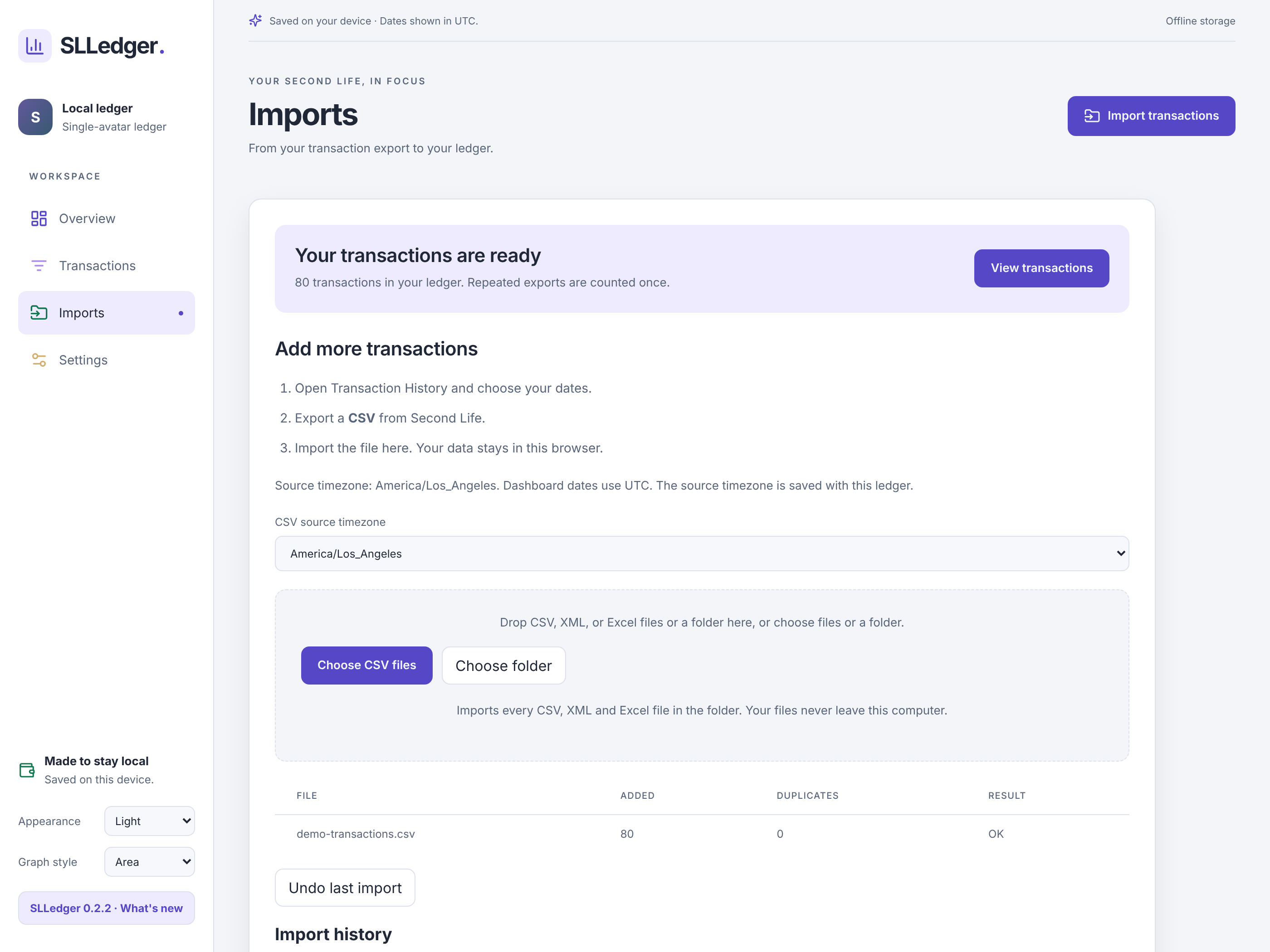
Overlapping exports count once. Undo any import, review import history, and pick the source timezone.
Live import progress
See each file as it imports, then a summary of what was added and what was skipped.
Dashboard at a glance
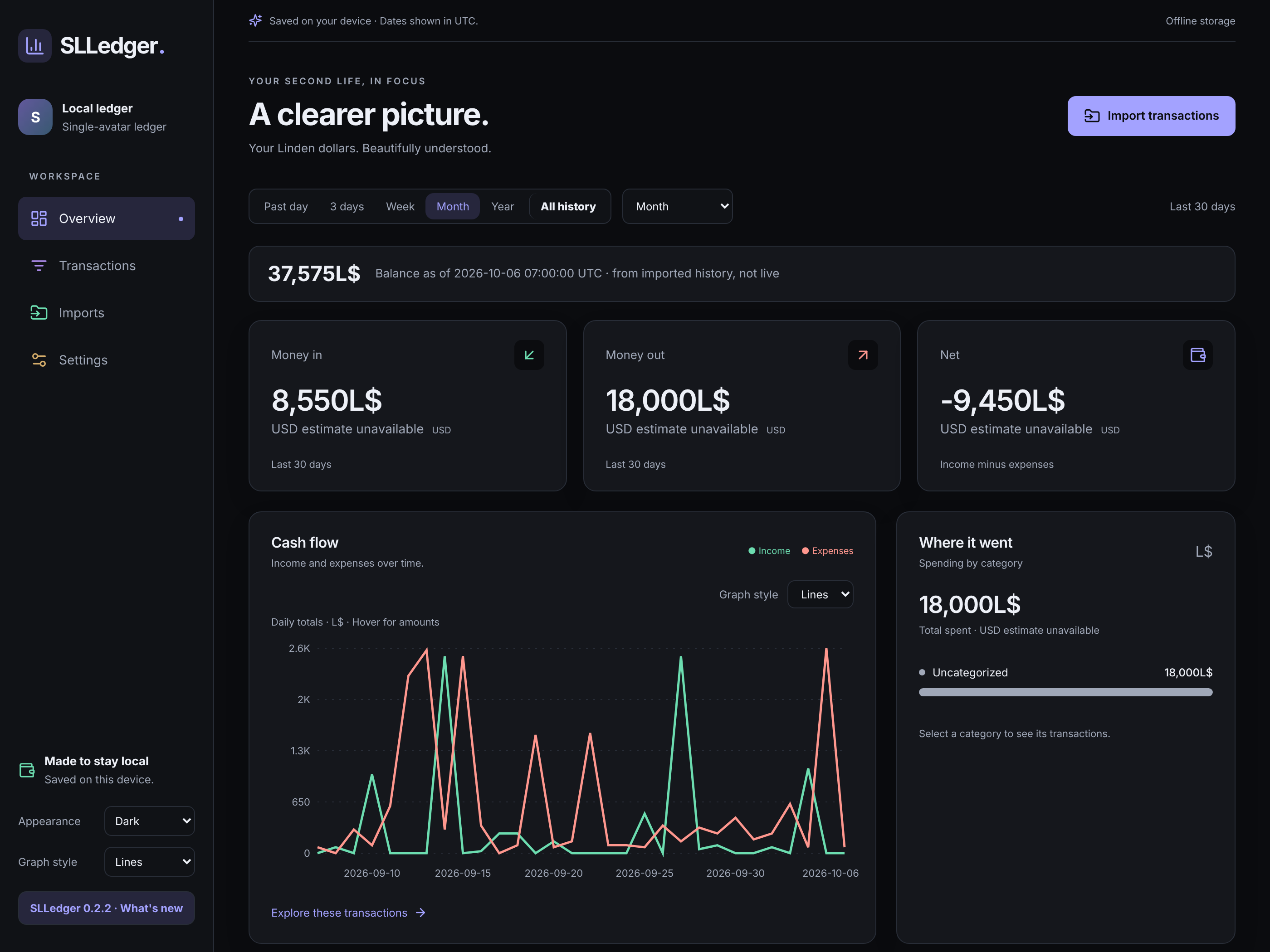
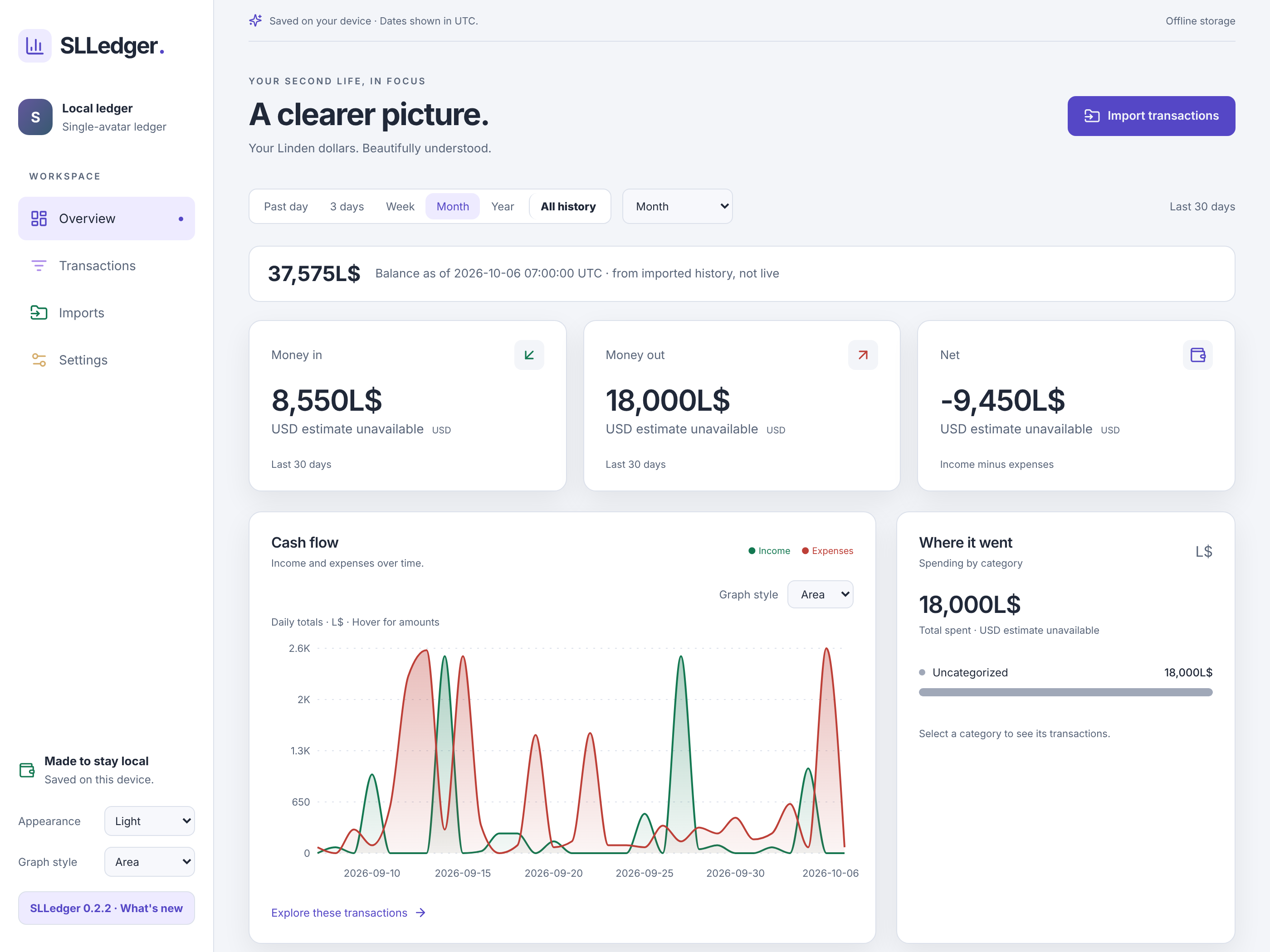
Money in, money out, net, ending balance from your latest history, recent transactions, and a “Where it went” breakdown.
Cash-outs
LindeX sales are tracked separately from spending, with a Cashed out total beside net, so you can see what you earned and what you took home.
Area, Lines, or Bars
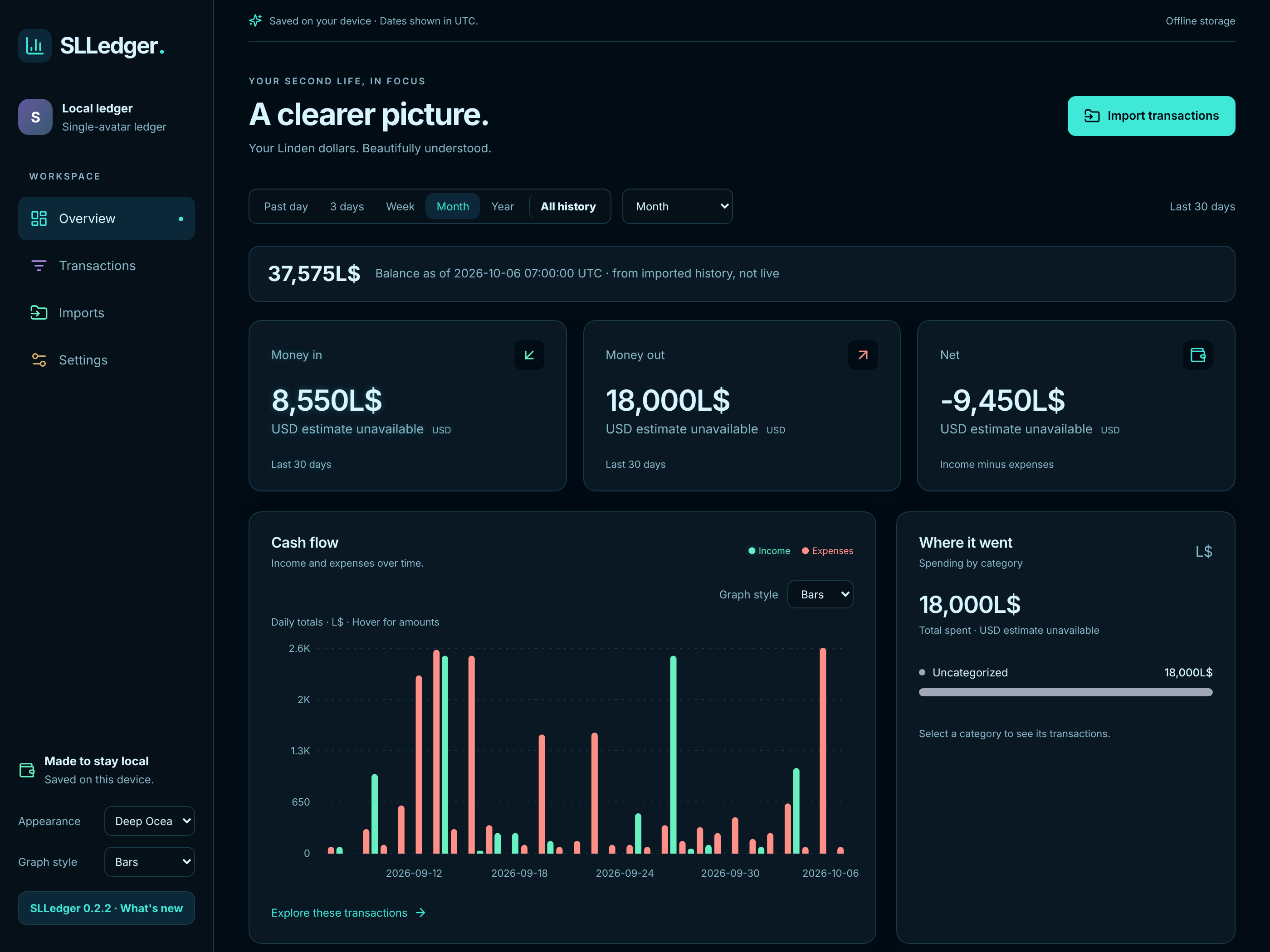
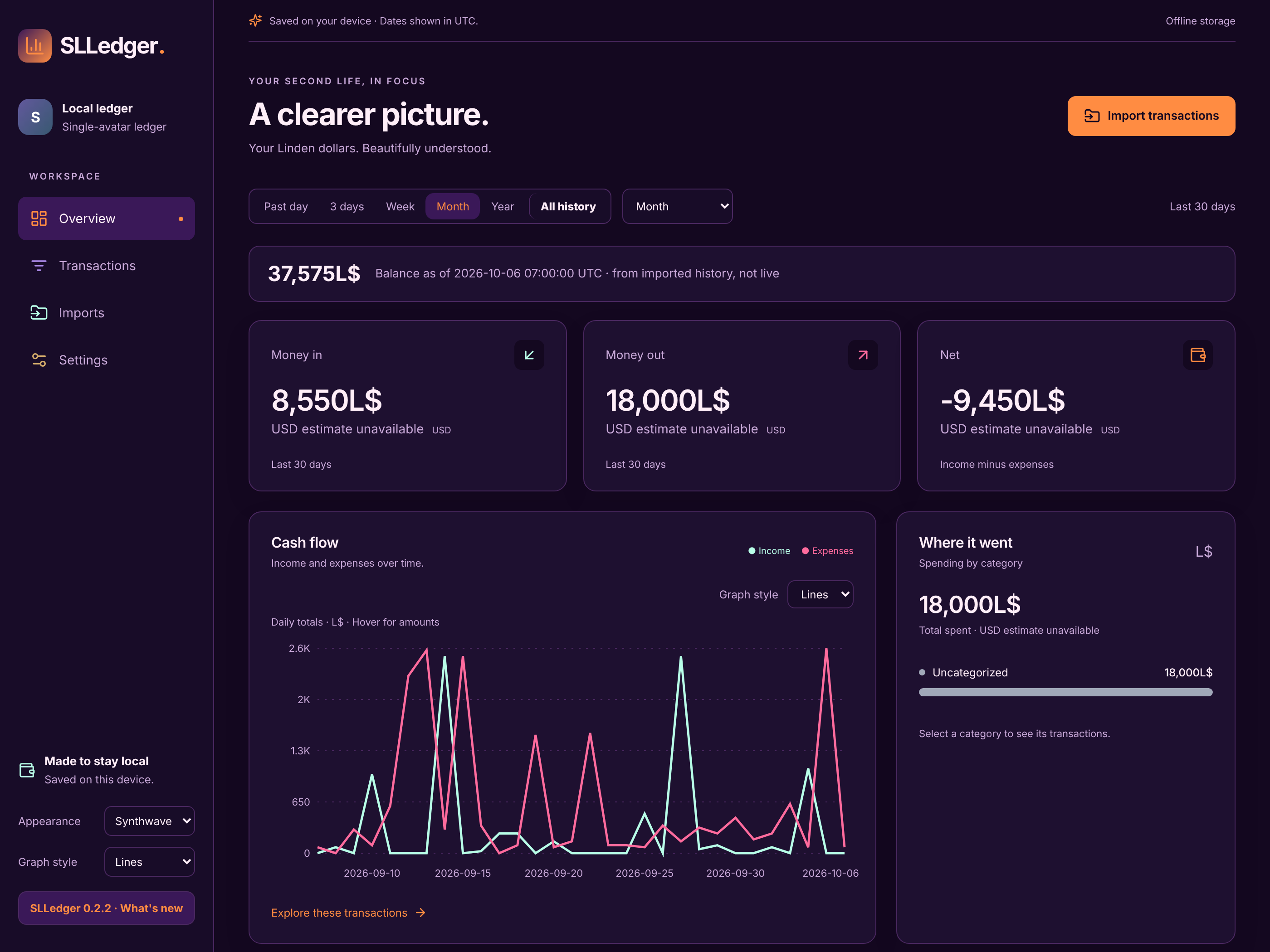
Cash-flow charts in three styles, saved on this device.
Any range, up to All history
Past day, 3 days, week, month, year, calendar periods, custom dates, or All history.
Second Life Time
Dates are shown in SLT (US Pacific), like everything in Second Life.
Search, filter, sort
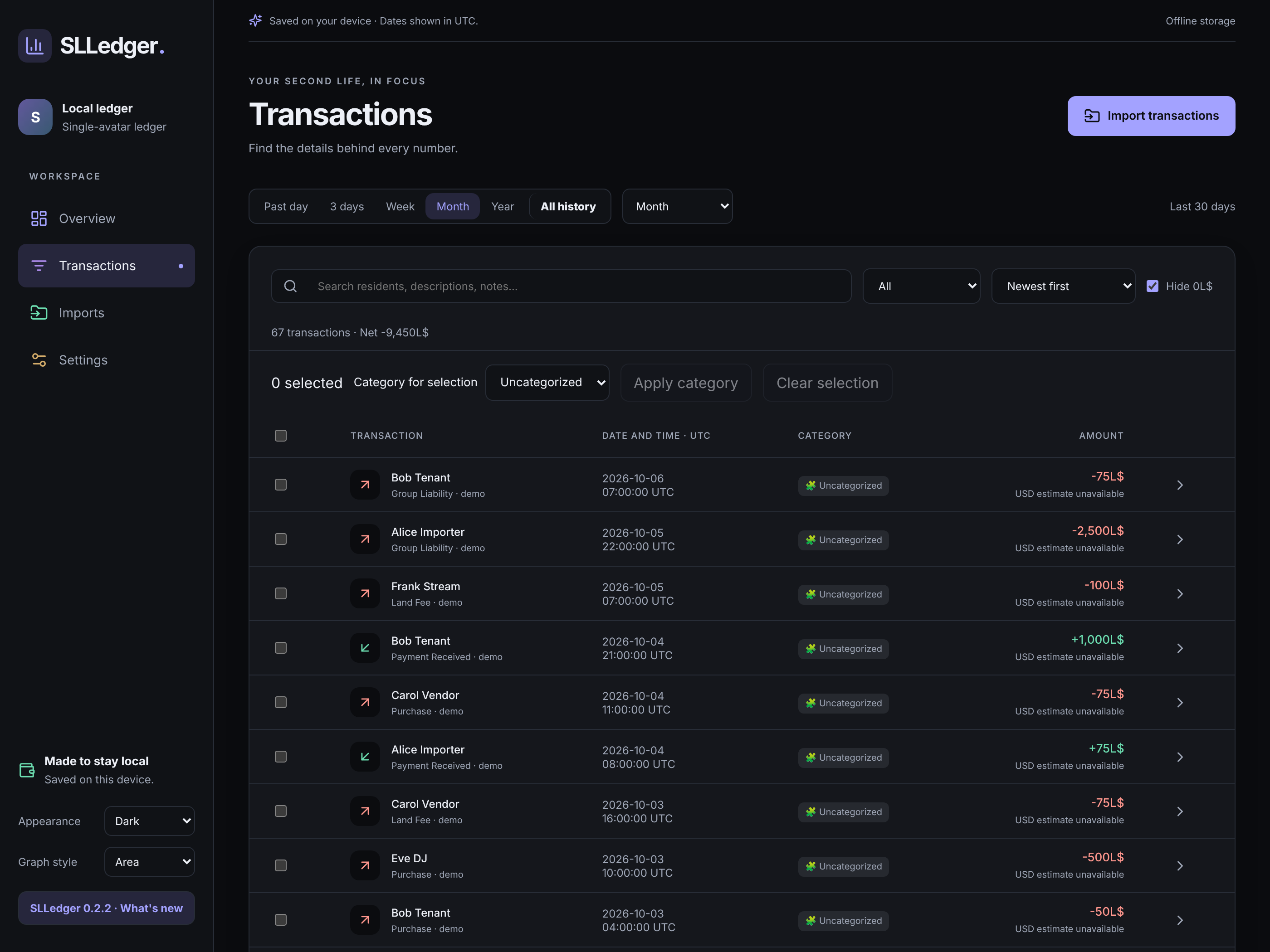
Full transaction list with search, category filter, sort, and pages of 50, 100, or 250 rows. Hide 0L$ rows with one switch.
Categories, notes & rules
Custom categories with icons and colors, notes on any transaction, bulk categorize, and automatic rules for new imports.
Nine appearance themes
Dark, Light, Cobalt, Cyberpunk, Arcade, Retro 80s, Tropical Beach, Synthwave Sunset, and Deep Ocean, with live preview.
Backup, restore, export
Save a JSON backup and restore it any time, export a CSV report, or delete all data for a clean slate.
Local-first in your browser
Files are read on your computer and stored in this browser — never uploaded. A storage status shows if your ledger is protected.
USD estimates & guide
Optional manual USD estimates (original L$ amounts never change), a built-in quick guide, and a What’s New changelog.
IN THE APP
Screenshots
Real UI from app.slledger.com — themes, charts, transactions, and imports.
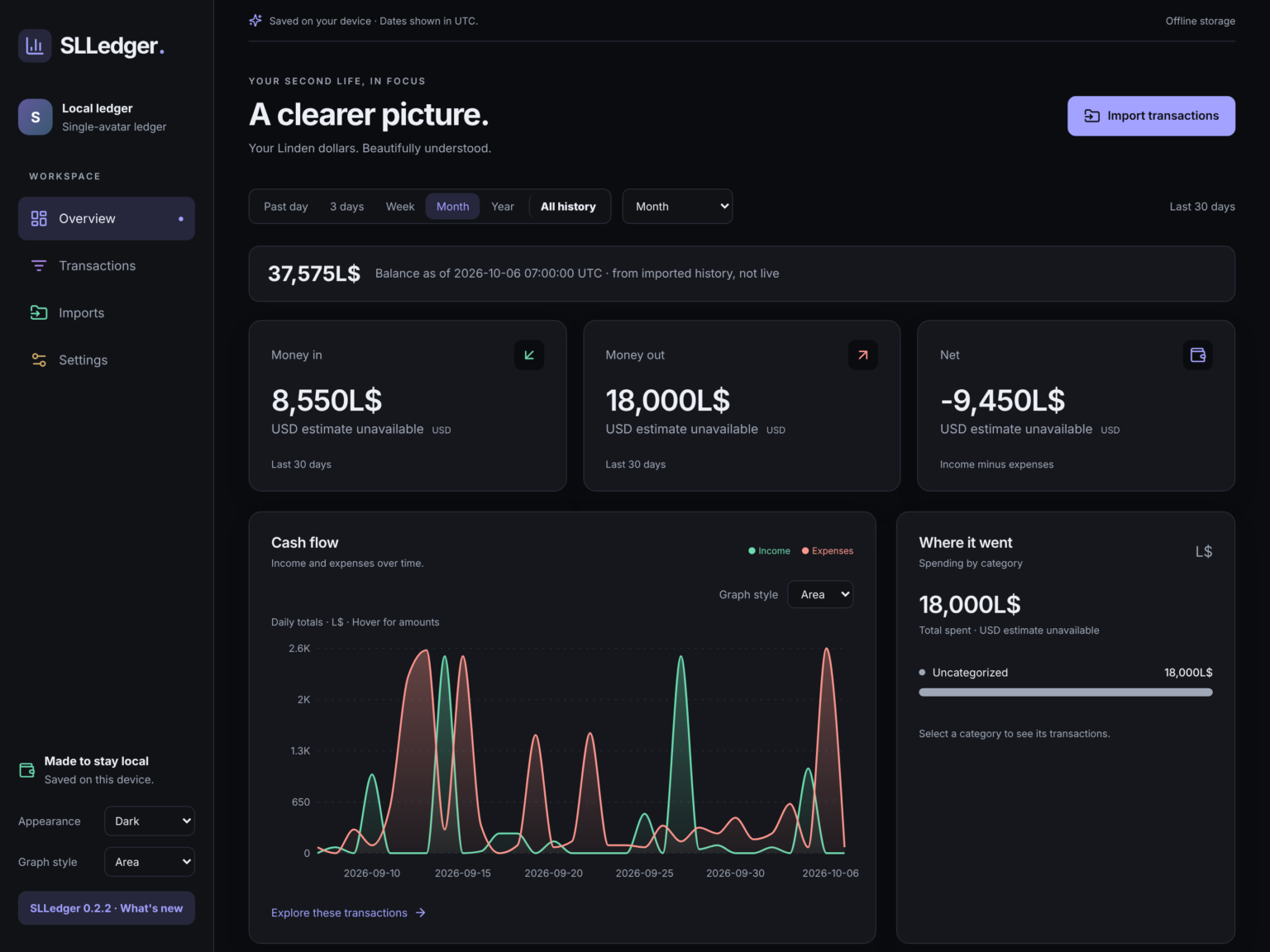 Overview · Dark · Area
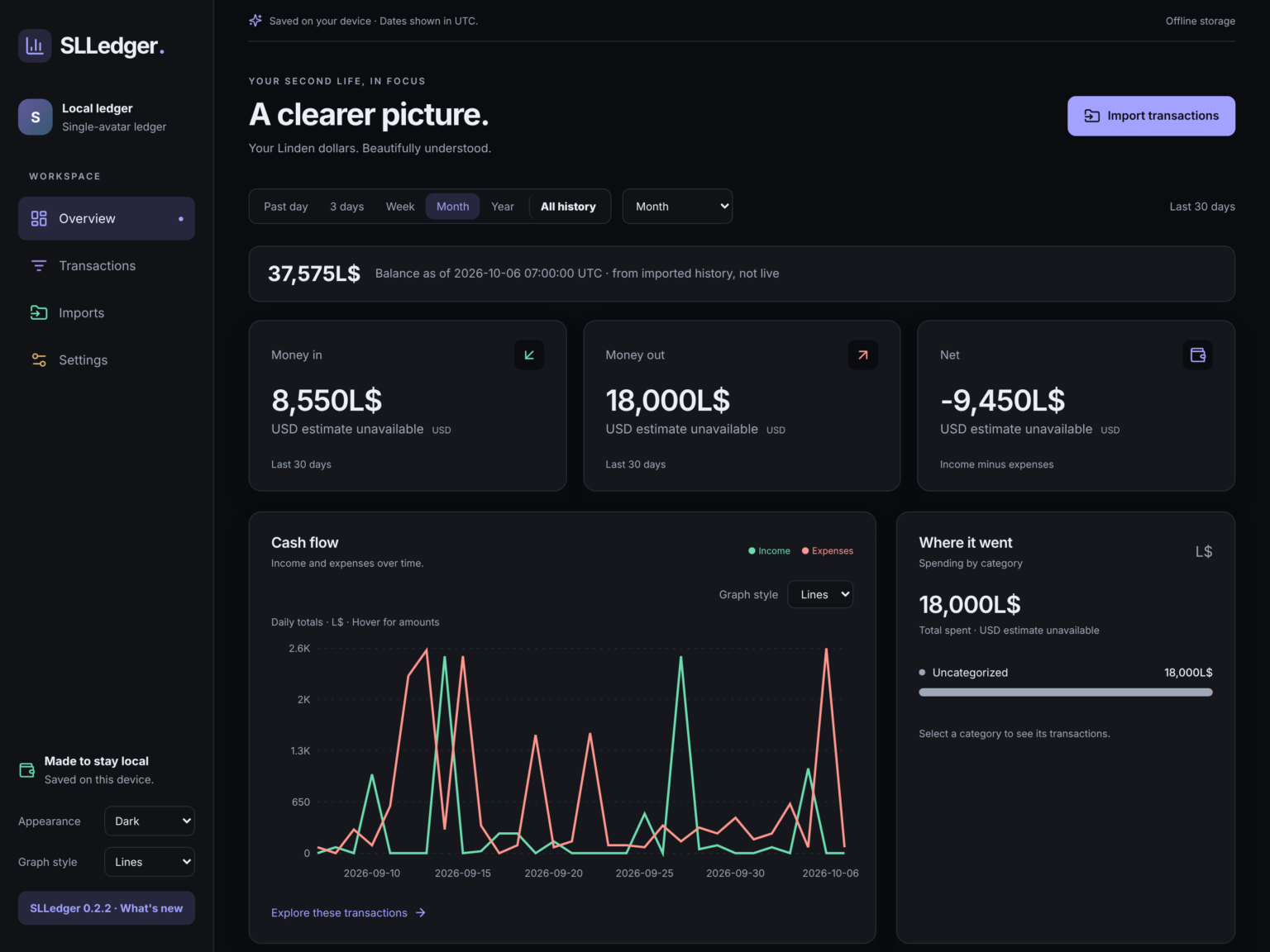 Overview · Dark · Lines
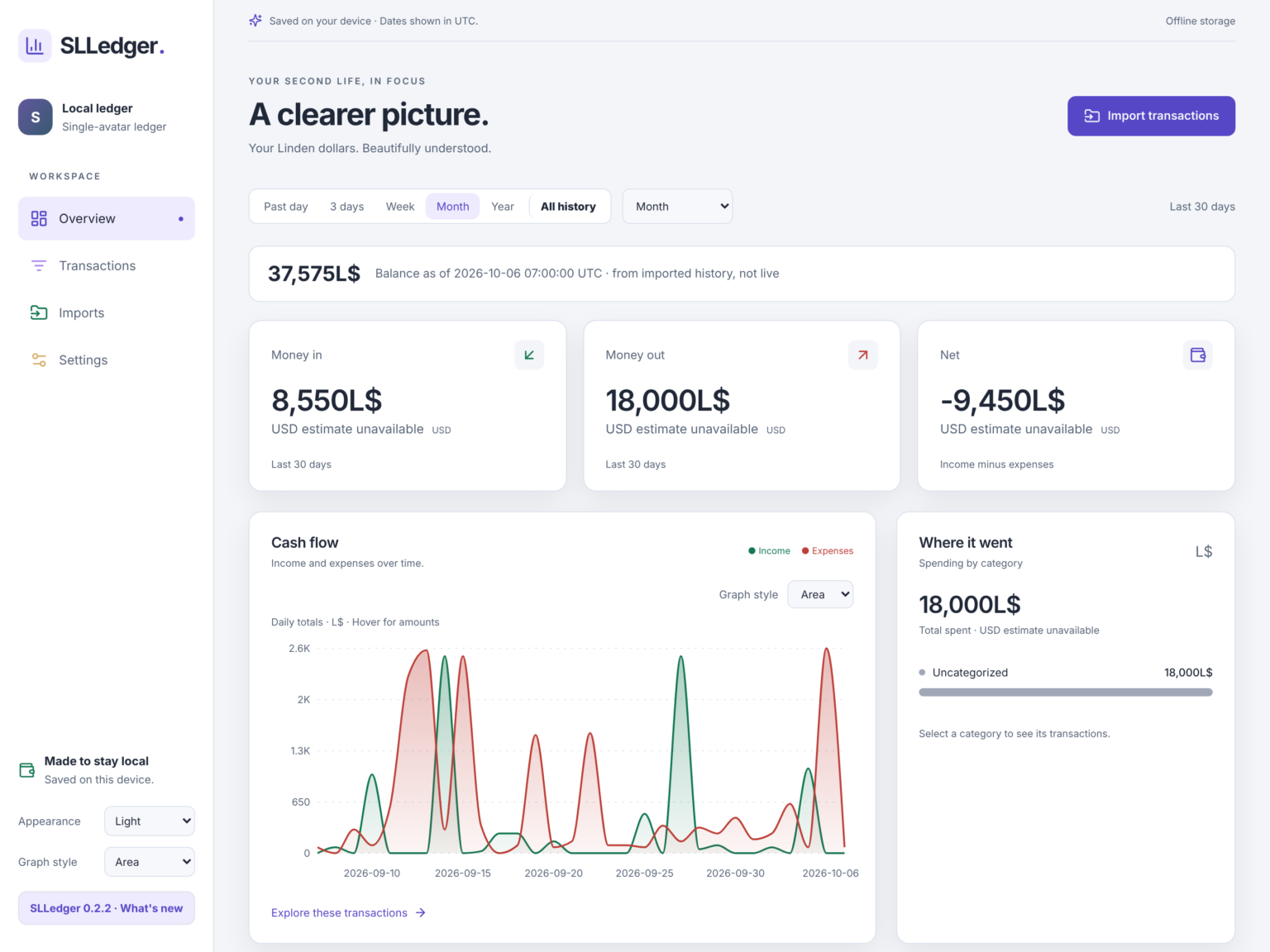 Overview · Light · Area
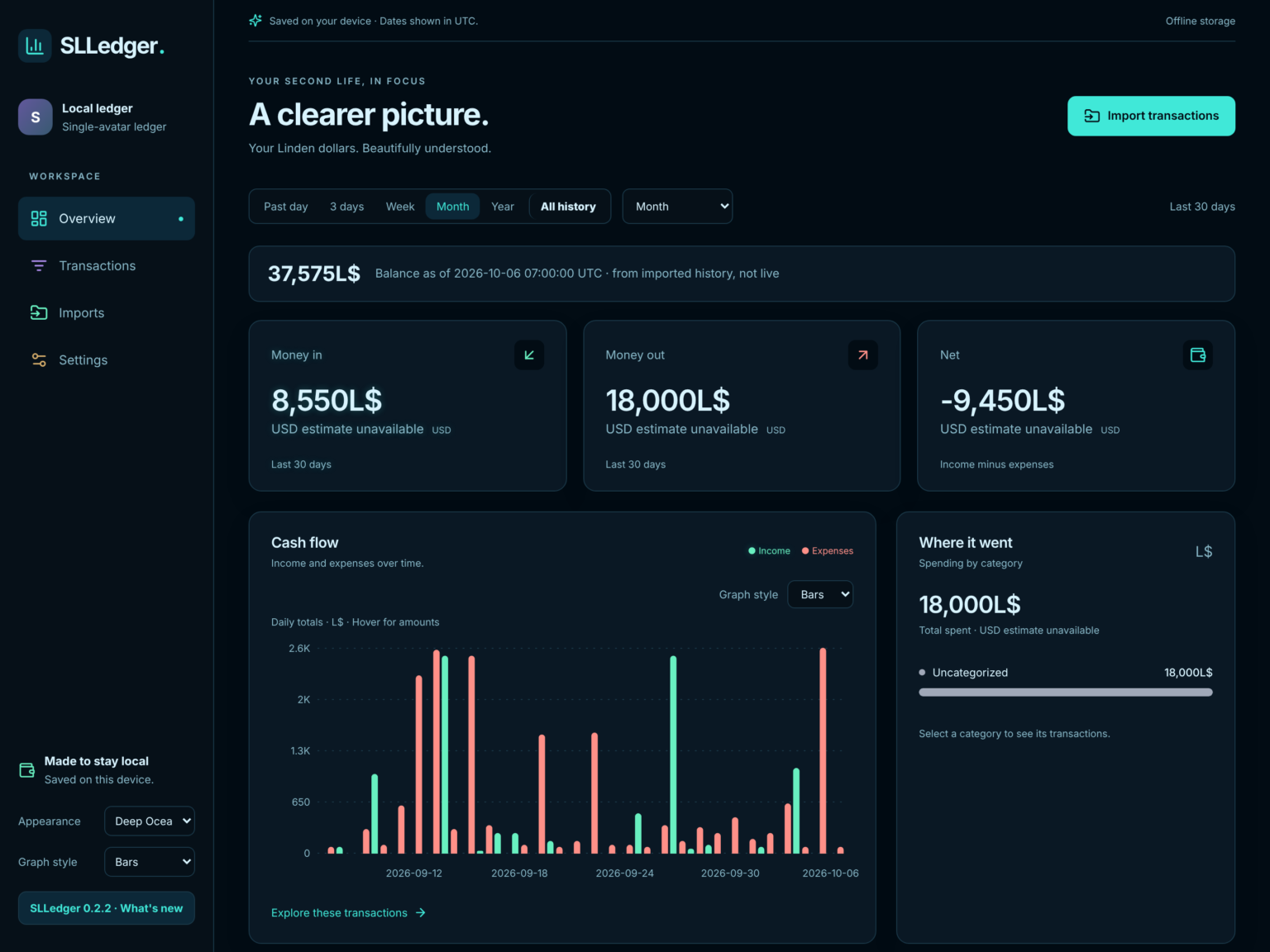 Overview · Deep Ocean · Bars
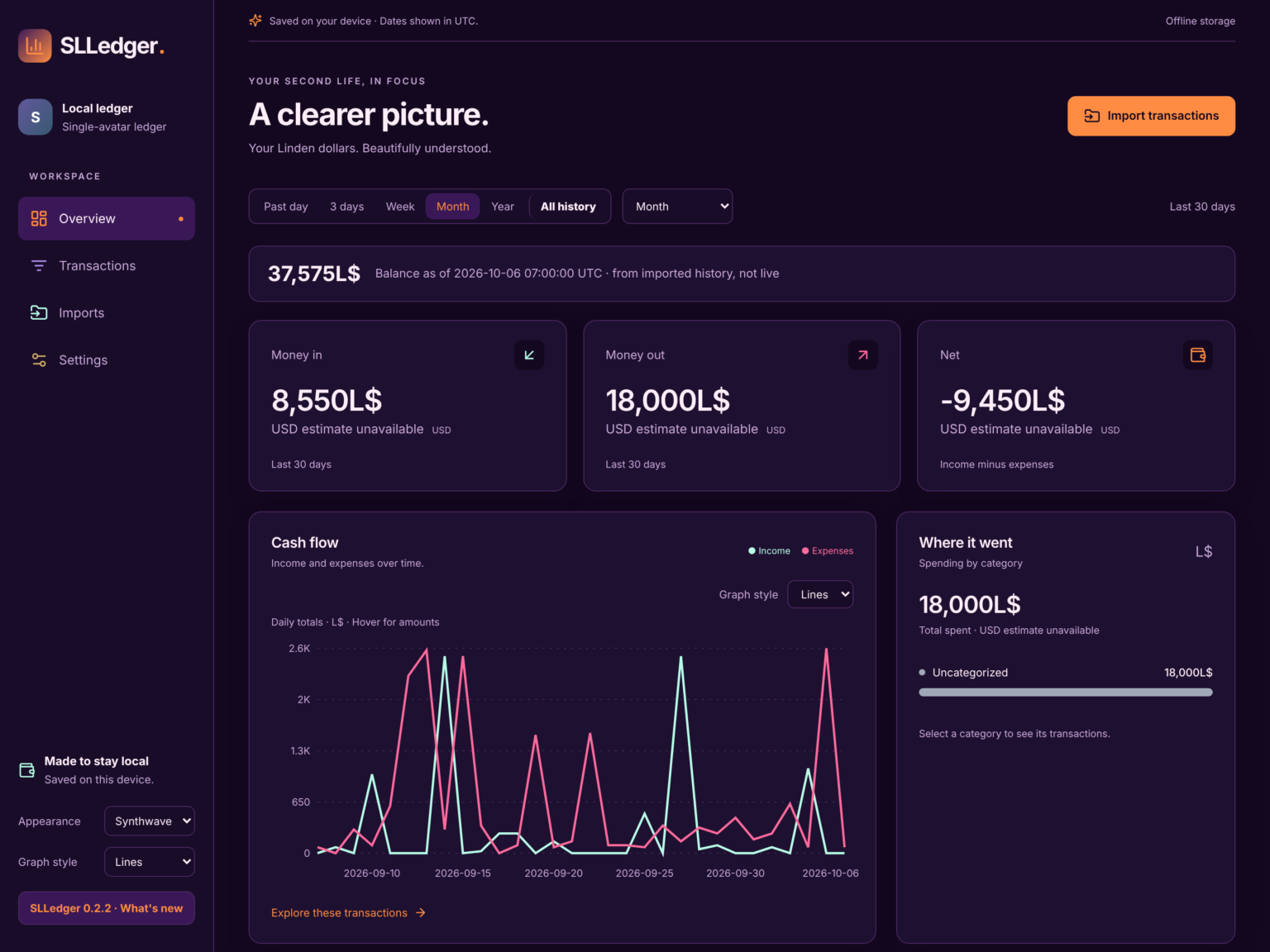 Overview · Synthwave · Lines
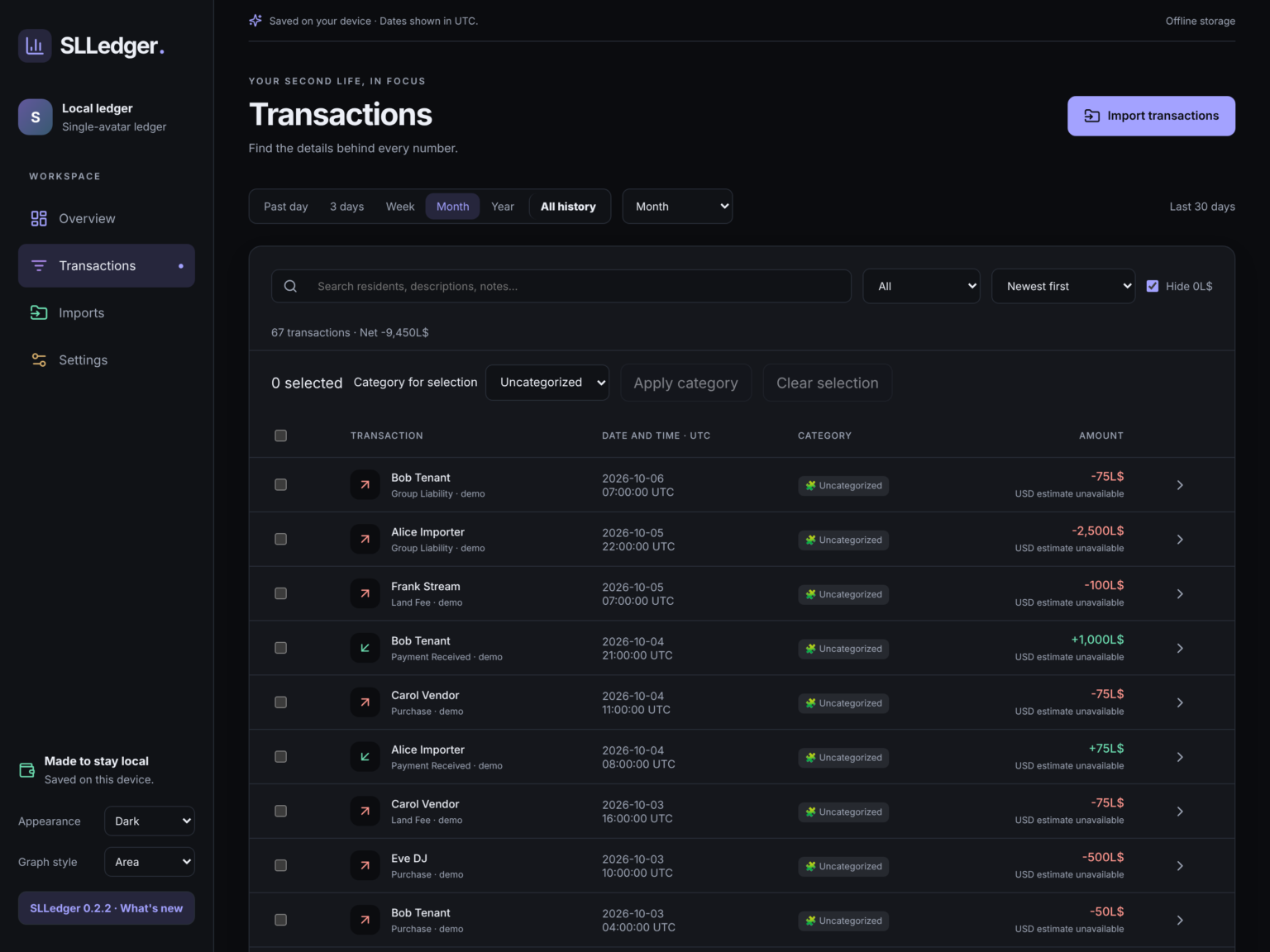 Transactions
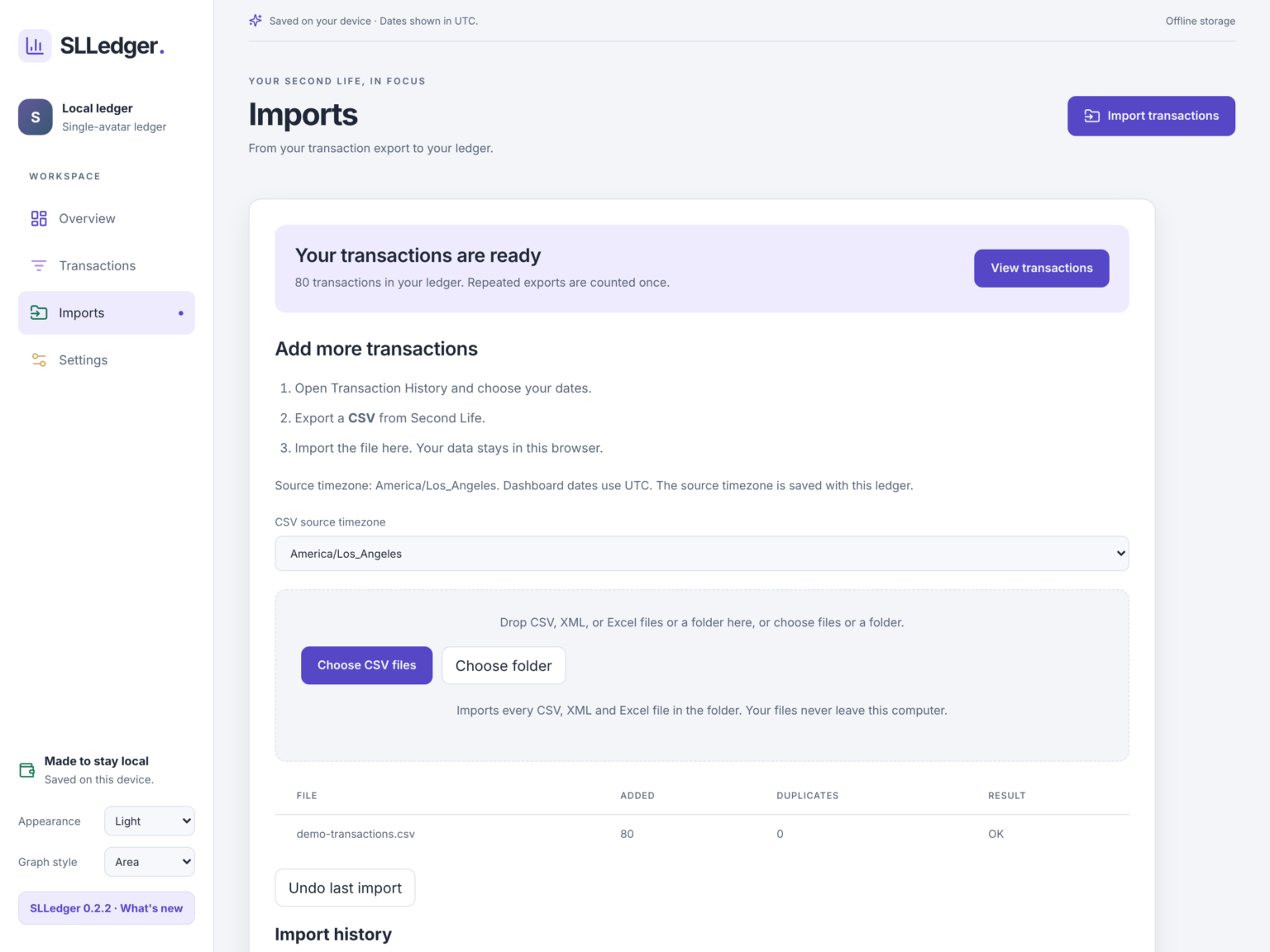 Imports
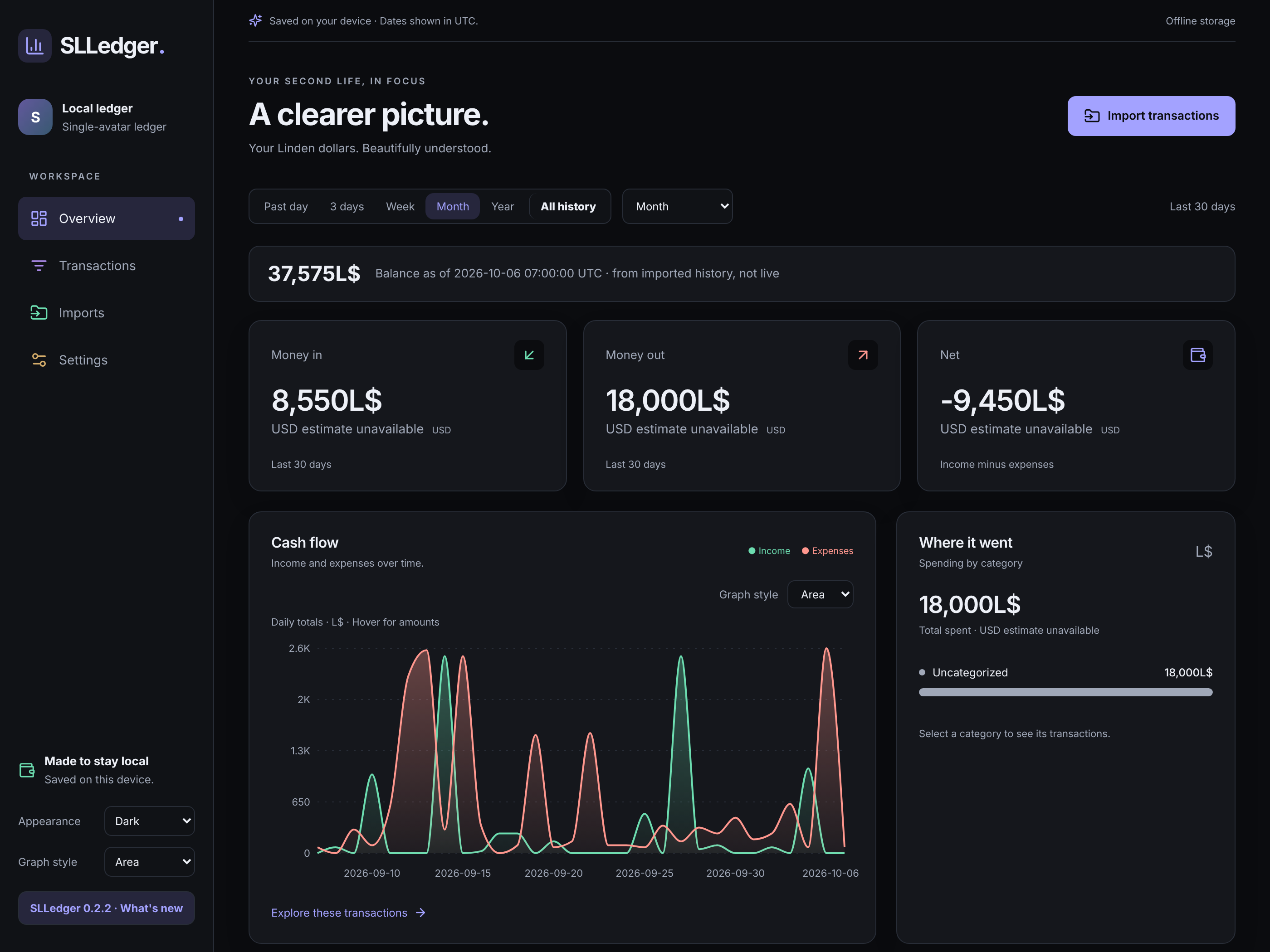
INCLUDED
In every unlock↗
- Browser app at app.slledger.com
- Personal unlock from the in-world launcher
- No cloud ledger — data stays on your device
- Sold in-world only, on the Second Life Marketplace
ABOUT
Your Second Life.
Accounted for.
SLLedger is a local-first ledger for Second Life transactions — built first for DJQuad Radio’s own books, then shared so residents can explore years of L$ history without a cloud ledger.
SLLedger runs in your browser at app.slledger.com. Your files are processed on your computer and are never uploaded for storage. The product is sold only in Second Life, on the Marketplace. Touch the in-world launcher for a personal unlock link — no account, no password on this website.
FAQ
Can I buy SLLedger on this website?
No. SLLedger is sold only in Second Life — get it on the Marketplace. This site does not sell licenses.
How do I get the app?
Buy the boxed launcher on the Marketplace, unpack it, touch the launcher, and open your personal link. That unlocks SLLedger in your browser once per browser. Bookmark it. Touch the launcher again only on a new computer or browser, or after clearing browser data.
Is my data uploaded?
No. Files are read in your browser and stored on your device. There is no cloud ledger.
Can I change the look?
Yes. Nine appearance themes and Area, Lines, or Bars charts. Choices save on this device.
REDEEM · UNLOCK
Bought it? Unlock in three steps
Unpack the box
Rez your SLLedger box in Second Life and touch it. The launcher and instructions go to your inventory.
Touch the launcher
Only the owner can use it. It gives you a personal unlock link — no account and no password on this website.
Open and bookmark
The link unlocks app.slledger.com in that browser. Touch the launcher again on a new computer or browser, or after clearing browser data.
SLLedger is not sold on this website. It is sold in Second Life only — get it on the Marketplace.
CONTACT
Questions about SLLedger? Feedback? Feature requests?
IM DJQuad Radio in Second Life.